Zip Extractor File Manager: fast archive handling and local file control
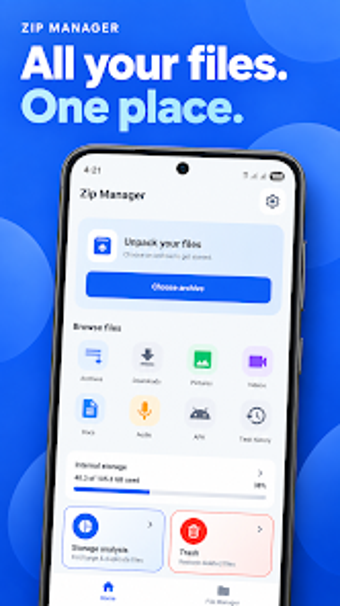
Experience archive extraction combined with local file management: unzip ZIP, RAR, 7Z, TAR and GZ, create passworded ZIP/7Z archives, and browse storage from a single interface. Golden Mango builds this Android utility to serve mobile users who handle compressed attachments and media downloads, offering background extraction, a built-in viewer for previews, and storage analysis tools that show used and available space at a glance. The app fits users who need quick archive tasks and on-device organisation without switching tools.
What does the app do for compressed files?
Zip Extractor File Manager opens and creates common archive formats: ZIP, RAR, 7Z, TAR, and GZ. It supports batch extraction, lets you compress items into ZIP or 7Z, and offers password protection with AES encryption when creating archives. The built-in viewer previews documents, images, and videos before extraction, so you can confirm contents without unpacking every file.
Does it affect device performance during operations?
The app supports background processing, so large extractions run while you use other apps. The developer optimised it for mobile and tablet interfaces, which implies extraction tasks do not force a full-screen blocking operation. Storage analysis tools report used and available space, which helps users decide when to run heavy operations without filling device storage.
Is it safe to use on personal files and sensitive archives?
The tool offers password protection and AES encryption for new archives, and it processes files locally on the device to keep data off remote servers. That local processing model reduces exposure of archived contents during extraction and compression. Permission requests align with file manager needs, since the app must access internal storage to copy, move, rename, and delete items.
Do non-technical users need help to operate it?
The interface presents categorized browsing for images, videos, audio, and documents, plus a clear file explorer for renaming and moving items. The app provides simple workflows for single-file extraction and batch modes for multiple archives. Advanced options such as AES password protection and multiple archive formats exist alongside straightforward actions, so casual users can perform basic tasks while power users access encryption and format choices.
Conclusion: practical archive and file management for mobile power users
The app performs archive extraction, compression, and local file organisation reliably on Android devices, and it keeps operations on-device while offering AES password protection. Its single-interface approach benefits users who routinely handle archived attachments and media. One caveat: those who need cloud-based processing or remote collaboration features should consider alternate tools that include server-side workflows.